TMTHosting is a UK-based hosting provider founded in 2018, specializing in high-defense VPS, virtual hosting, and dedicated servers. Its services cover Seattle, Dallas, and London, with Seattle offering 20G DDoS protection, and both Dallas and London providing 10G protection. All plans support genuine Windows installations, offer Alipay payment options, and include a free IPv6 address. Even after bandwidth is used up, network speeds remain at 5Mb/s, making it ideal for users requiring stable performance. TMTHosting uses the Virtualizor control panel, which is simple and easy to operate.
Official Website: TMTHosting
Plan Details
Taking Seattle high-defense VPS as an example, all plans use E5 processors, SSD storage, and KVM architecture, support genuine Windows, and provide 20G to 40G DDoS protection. Detailed plans are as follows:
| CPU | RAM | Storage | Bandwidth | Port | IPv4 | IPv6 | Price |
|---|---|---|---|---|---|---|---|
| 1 Core | 512MB | 10GB SSD | 1TB | 1Gbps | 1 | 1 | $4.75/mo |
| 2 Cores | 1GB | 15GB SSD | 2TB | 1Gbps | 1 | 1 | Out of stock |
| 2 Cores | 2GB | 30GB SSD | 3TB | 1Gbps | 1 | 1 | $15.95/mo |
| 3 Cores | 3GB | 45GB SSD | 4TB | 1Gbps | 1 | 1 | $24.95/mo |
| 3 Cores | 4GB | 60GB SSD | 5TB | 1Gbps | 1 | 1 | $29.95/mo |
Note: All plans include both IPv4 and IPv6 addresses, suitable for a variety of use cases.
Registration and Purchase Guide
Using the lowest-tier plan as an example, here’s how to register and purchase a VPS:
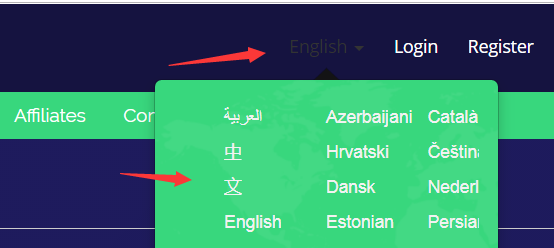
1. Language Settings
After visiting the official website, select “Chinese” in the top-right corner for easier navigation.
2. Complete Server Information
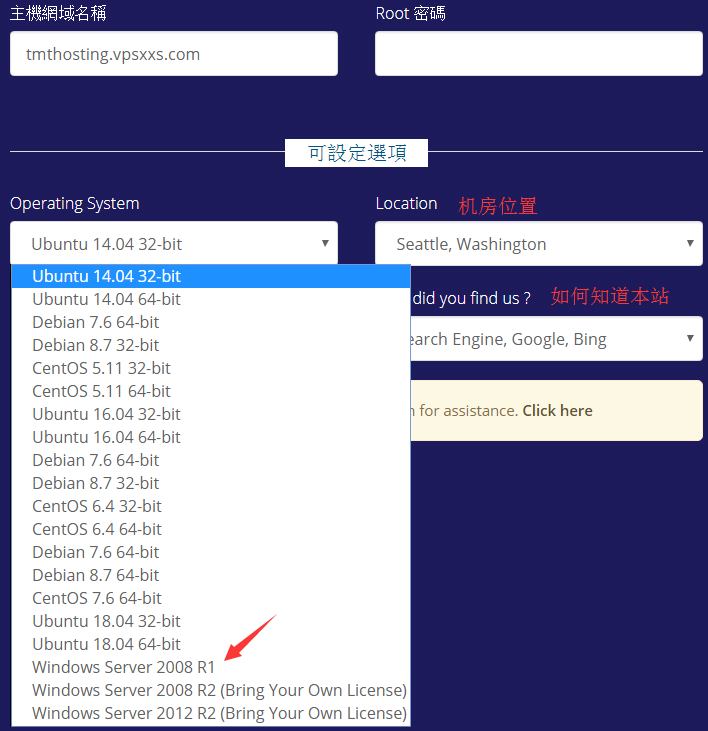
- Hostname: Enter in URL format (domain registration not required).
- Set a custom Root password (also provided via email).
- Select operating system (for genuine Windows, choose Windows 2008 R1; other versions like Windows 2012 require manual activation).
- Confirm data center location as Seattle.
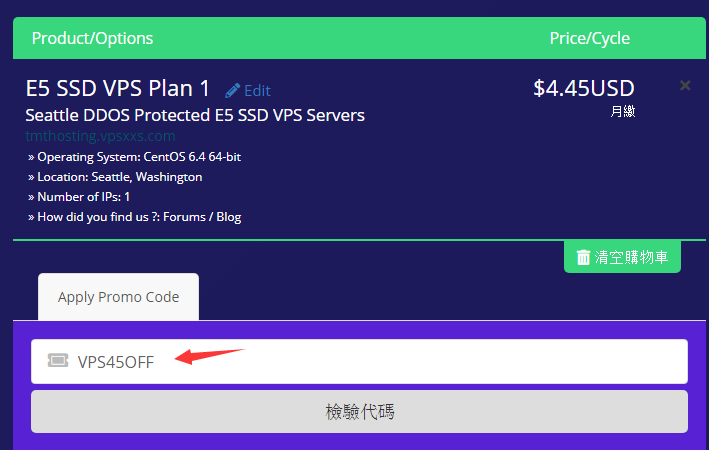
3. Enter Discount Code
Currently no discount code is available. Click “Check Code” to display the final price.
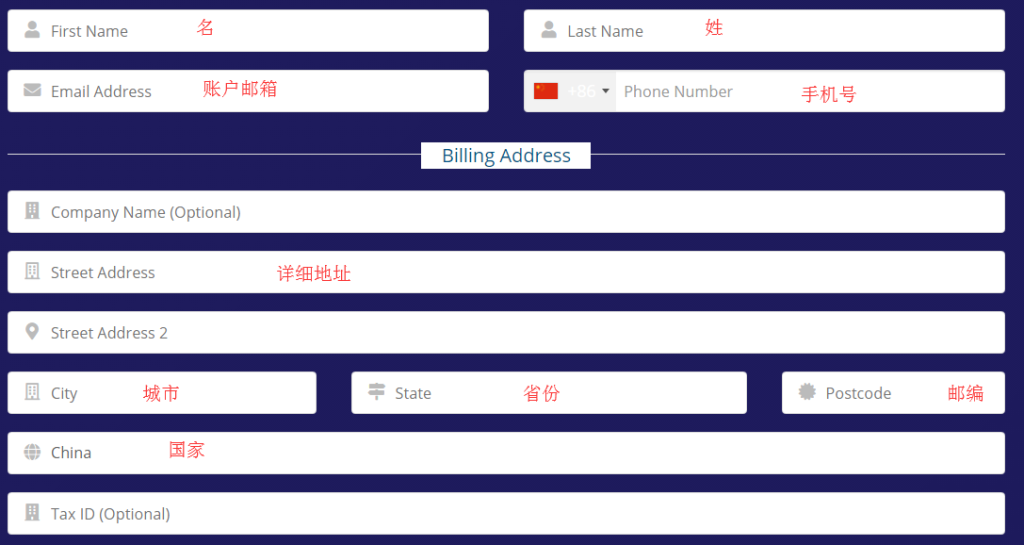
4. Fill in Account Information
- Enter name and address in pinyin.
- Select China as the country and enter phone number as applicable.
5. Payment and Order Completion
- Choose a payment method (Alipay or PayPal), agree to the service terms, and complete the payment.

6. View and Manage VPS
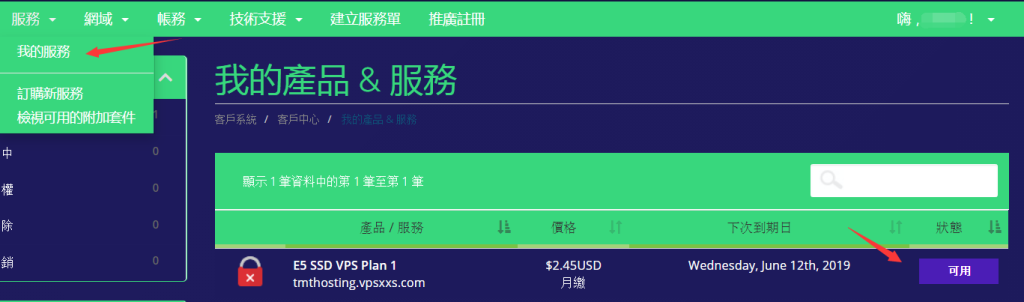
- Log in and navigate to Services → My Services to view purchased VPS.
- Click Available to access the Virtualizor control panel.
- Server details will also be sent to the registered email.
FAQ
Q: What are TMTHosting VPS suitable for?
A: Ideal for users needing stable networks and DDoS protection, suitable for website hosting, remote work, or specific use cases like botting or data collection.
Q: What if I forget the Root password?
A: The registered email receives all server details, including the Root password, for reference at any time.
Q: How to activate Windows?
A: Windows 2008 R1 comes pre-activated; other versions can be used for 180 days. For long-term use, manual activation is recommended.
Q: Does it support instant deployment?
A: Yes, all VPS are instantly deployed—no waiting required.