11000人交流群欢迎你加入:https://telegram.me/gwvpsceping

Founded in 2011, LunaNode is an overseas hosting provider focused on flexible billing and cost-effective cloud services. It mainly offers KVM-based VPS cloud servers, with its data center located in Toronto, Canada, making it suitable for users who require North American network access. In this article, we will conduct a comprehensive review of LunaNode’s Canadian VPS, analyzing its network performance, routing quality, and real-world usage experience.
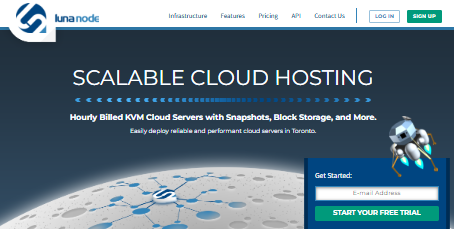
Canadian Native IP VPS Starting from Just $3.5/Month
LunaNode’s VPS plans are highly flexible and support hourly billing, making them ideal for temporary workloads or developers who frequently deploy and destroy instances. The entry-level configuration includes 1 vCPU, 1GB RAM, 15GB storage, and 1TB monthly traffic, priced at $3.5/month. The minimum deposit is $5, and PayPal and credit cards are supported. Each VPS can also add an additional dynamic IP for $1/month. However, Alipay and WeChat Pay are not supported, and Windows OS is not available, making it more suitable for Linux users.Network Latency Test: Around 237ms Average Across China
We first tested the local ping latency to this Canadian VPS, with an average latency of 204ms and relatively stable performance. Then we tested connectivity across China’s three major ISPs, with the following results:- China Telecom average latency: 215ms
- China Unicom average latency: 242ms
- China Mobile average latency: 260ms
Network Stability and Packet Loss
Stability tests across multiple regions show excellent performance for overseas nodes, with almost no packet loss. However, some occasional packet loss was observed from mainland China nodes, especially during peak hours, though still within an acceptable range. It is suitable for overseas hosting and lightweight remote management tasks.Routing Analysis (China Telecom / Unicom / Mobile)
Traffic from China Telecom, Unicom, and Mobile all follows standard international routing paths, passing through the United States before reaching Canada. There are no special optimized routes, meaning performance may be affected during peak hours. However, the routing path is reasonable without excessive detours or hops, making it suitable for users without extreme latency requirements.Download Speed Test: Up to 7.6MB/s
In a local environment test, the download speed from LunaNode’s Toronto node reached 7.6MB/s, which is quite solid. You can test your own network performance using the official test file: http://toronto-test.lunanode.com/100MB.testPlans and Pricing (Hourly Billing)
| Configuration | Plan 1 | Plan 2 | Plan 3 | Plan 4 |
|---|---|---|---|---|
| RAM | 1GB | 2GB | 4GB | 8GB |
| CPU Cores | 1 | 1 | 2 | 4 |
| Storage | 15GB | 20GB | 35GB | 70GB |
| Monthly Traffic | 1TB | 2TB | 2.5TB | 3TB |
| Monthly Price | $3.5 | $7 | $14 | $28 |
How to Buy LunaNode Canada VPS
- Visit https://www.lunanode.com/ and register an account
- Log in and click “Create VM”, then select the “Toronto, Canada” node
- Choose a plan and operating system (multiple Linux distributions supported)
- If balance is insufficient, go to the “Billing” page to add funds (minimum $5)
- After creation, you can start, delete, or rebuild instances in the dashboard