In today’s rapidly evolving digital marketing landscape, staying ahead requires more advanced and flexible technical solutions. Among them, Residential IP VPS has become an increasingly popular choice for social media marketers in recent years.
This type of VPS combines the controllability of virtual servers with the authenticity of residential IP addresses, providing a safer, more natural, and more stable environment for cross-platform operations, advertising campaigns, and localized marketing strategies.
In this article, you’ll learn everything about Residential IP VPS — including what it is, its advantages, practical use cases, and best practices — helping you achieve better results in your next marketing campaign.
What Is a Residential IP VPS?
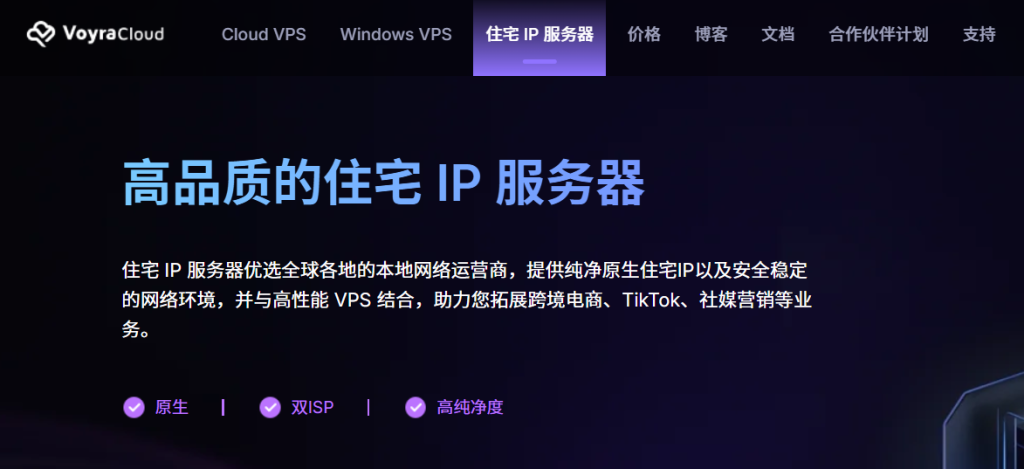
A Residential IP VPS is a virtual server environment that uses residential network IP addresses.
Unlike traditional VPS solutions that rely on data center IPs, Residential IP VPS services use IP addresses sourced from real household internet connections. This provides significantly higher trustworthiness and a lower risk of bans or restrictions.
This makes your activity on social platforms appear as if it comes from a regular home user instead of a “data center bot.” As a result, account safety is greatly improved, abnormal activity risks are reduced, and your social media operations become more natural and stable.
Why Choose a Residential IP VPS?
1. Higher Trustworthiness
Social media platforms are generally more sensitive to data center IPs, often associating them with mass operations, automation, or spam-related behavior. Residential IPs, on the other hand, come from legitimate household networks and are therefore less likely to be flagged by platform systems.
This helps your accounts operate more smoothly, reducing risks such as additional verification checks, restrictions, or account bans — making them more suitable for long-term operations.
2. Stronger Geo-Targeting Capabilities
Residential IP VPS allows marketers to precisely target different countries and regions.
Whether you want to:
- Run localized advertising campaigns
- Execute regional marketing strategies
- Manage accounts across different regions
- Access geo-restricted content
Residential IPs make it easier to bypass geographic limitations and reach your real target audience more effectively.
Best Practices for Using Residential IP VPS
Combine with Marketing Tools
Integrate your VPS with social media management platforms, automation tools, and advertising analytics systems to improve workflow efficiency.
Implement SEO Optimization Strategies
Leverage the regional advantages of residential IPs to improve your relevance in local search results, making your content easier for target users to discover.
Reach Local Audiences More Effectively
Use location-based advantages to deliver content and advertisements that better match local user preferences, improving engagement and conversion rates.
How to Get Started with Residential IP VPS
Step 1: Create an Account
The VoyraCloud platform supports multiple login methods, including email registration, Google login, and GitHub login, making the process quick and simple.
Step 2: Visit the Residential IP VPS Page
Visit: https://www.voyracloud.com/residential-ip-vps
Available Locations: Los Angeles, Washington, Frankfurt, and London (same pricing across all locations)
Available OS Images: CentOS Stream 9, Debian 12.7, Rocky 9.5, SillyTavern, Ubuntu 24.04
| Plan | Purchase | Original Price | CPU | RAM | Storage | Monthly Traffic @ Bandwidth | Features |
|---|---|---|---|---|---|---|---|
| Resi Lite | Buy Now | $9/month | 1 Core | 1GB | 20GB | 1TB @ 200Mbps | Entry-Level Clean Residential IP |
| Resi Basic | Buy Now | $15/month | 2 Cores | 4GB | 60GB | 2TB @ 200Mbps | Dual ISP by Default, High IP Cleanliness |
| Resi Pro | Buy Now | $30/month | 4 Cores | 8GB | 120GB | 4TB @ 200Mbps | Professional Grade for Cross-Border E-Commerce & Social Media |
Step 3: Choose Your Plan
- Select your billing cycle: monthly, quarterly, semi-annual, or annual
- Choose your VPS location, such as Los Angeles
- Select your preferred OS image, then click “Buy Now” to proceed
Step 4: Complete Payment
Follow the on-screen instructions to complete your payment.
Step 5: Deploy Within 60 Seconds
Your VPS will be automatically activated by the system and ready to use within seconds.