Alibaba Cloud Lightweight Application Server is a next-generation computing service designed for single-instance application scenarios. It provides one-click deployment of popular applications and integrates website hosting, domain management, security, operations, and application management into a single platform, significantly lowering the barrier to cloud computing. This article explains how to quickly deploy a WordPress personal blog using Alibaba Cloud International Lightweight Application Server.
1. Preparation: Get Started Easily with CloudHub Global
Before building your personal blog, you need an Alibaba Cloud International account and sufficient balance. Normally, registering an Alibaba Cloud International account requires an overseas credit card or phone number, which can be inconvenient for users in China.
With CloudHub Global (www.cloudhubglobal.com), you do not need an overseas credit card, personal identity verification, or foreign phone number. You can quickly activate and recharge your account.
As an official core partner of multiple global cloud providers, CloudHub Global offers the following advantages:
- Privacy & Security: As a core partner of major international cloud platforms (including GCP and others), CloudHub Global focuses on international cloud services with secure deployment and privacy protection.
- Flexible Payment: Supports agent payment, USDT, and multi-currency payments, solving global payment barriers for freelancers and overseas users.
- Cost Advantage: As a premium channel partner, CloudHub Global provides better discounts than official pricing, significantly reducing cloud costs.
- Technical Support: Supports Alibaba Cloud, Tencent Cloud, AWS, Google Cloud, Huawei Cloud, and Microsoft Cloud, helping users quickly deploy websites, systems, and AI projects.
2. Steps to Deploy a WordPress Blog Using Alibaba Cloud Lightweight Server
Step 1: Get WordPress Login Credentials
- Log in to the Alibaba Cloud Lightweight Application Server console and locate your WordPress pre-installed instance in the server list.
- Click the instance ID to open the details page, then go to the “Application Details” tab and find the WordPress admin password.

- Click the copy command icon (image.png), then use the “Remote Connection” feature to access the server.
- In the terminal, press Ctrl+V to paste the command and press Enter to retrieve the WordPress admin username and password.
Step 2: Log in to WordPress Dashboard and Configure Admin Settings
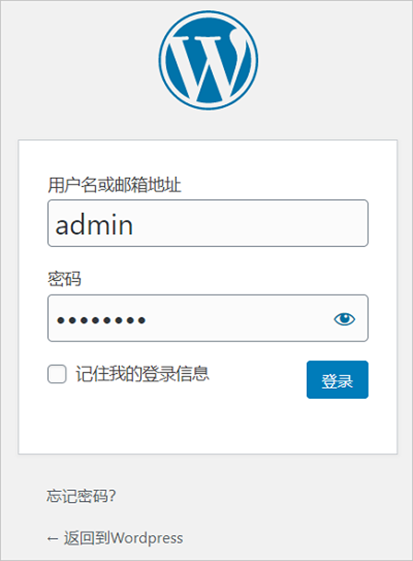
- On the “Application Details” page, click the admin login URL to open the WordPress login page.
- Use the default credentials (username: admin) and the password obtained in Step 1 to log in.
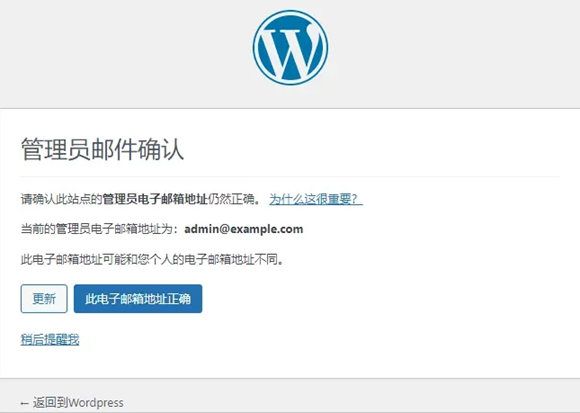
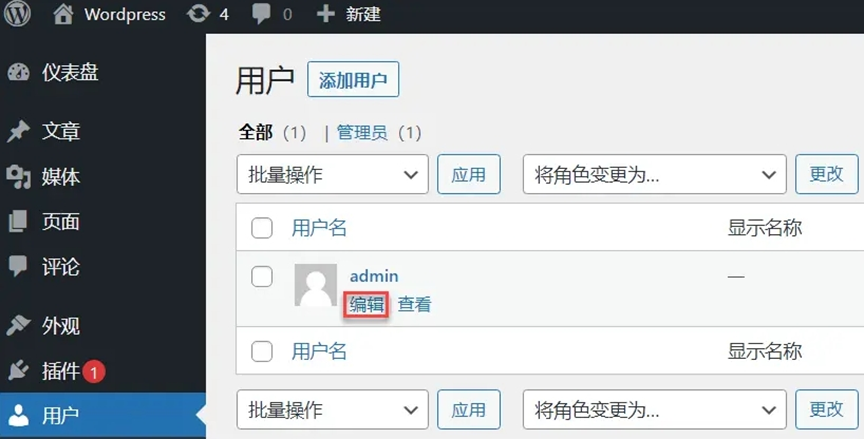
- Go to “Users > All Users”, select the admin account, and edit email, site URL, and password.
- Click “Update Profile” to save changes.
Optional: You can also manage your blog using the official WordPress mobile app.

3. Summary and Expansion
With Alibaba Cloud International Lightweight Application Server, you can easily deploy a WordPress blog without complex configuration, allowing your website to go online quickly.
Combined with CloudHub Global’s no-card-binding registration, proxy payment, and technical support services, the entire cloud onboarding process becomes simpler and more efficient.
Contact CloudHub Global (www.cloudhubglobal.com) to start your seamless cloud journey.
For any questions about Alibaba Cloud International account setup, proxy payment, or lightweight server usage, you can also contact official Telegram support:
@yunshuguoji.