In today’s digital era, having your own website—whether for showcasing personal work, running a small online business, or sharing hobbies—has become highly attractive. However, traditional website deployment often requires purchasing servers, which can be costly and complex to maintain, discouraging many beginners. This is where Alibaba Cloud International OSS comes in handy.
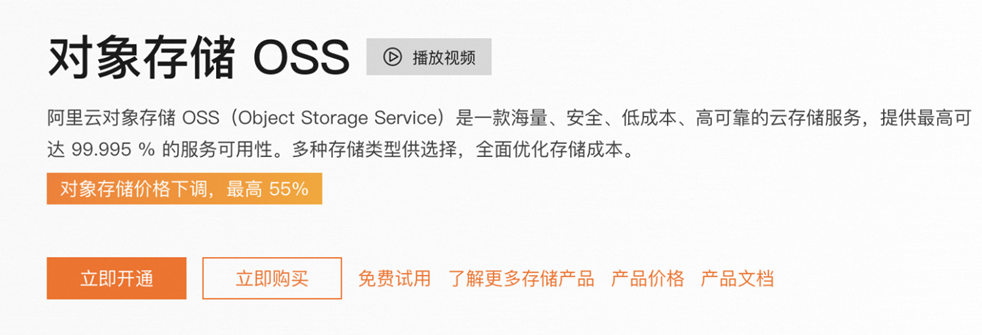
Alibaba Cloud International OSS (Object Storage Service) is a massively scalable, secure, low-cost, and highly durable cloud storage service. Before using Alibaba Cloud OSS, you need an Alibaba Cloud International account, which typically requires a foreign credit card for registration. To avoid this hassle, you can use the proxy service provider CloudHub Global (www.cloudhubglobal.com). Through this service, there is no need for overseas credit cards, personal document submission, or even foreign phone numbers. As an officially certified international core partner of major cloud vendors, CloudHub Global is designed to solve these pain points. It provides account assistance, top-up services, and online technical support.
1. Why Choose CloudHub Global?
1. Privacy & Security
CloudHub Global is an officially certified international core partner focusing on global cloud products. You can deploy your business safely and eliminate privacy concerns, ensuring your projects run in a fully secure environment.
2. Hassle-Free Payment
Supports proxy payments, USDT, and multi-currency payments, solving payment difficulties for overseas users, freelancers, and cross-border enterprises. The process is simple, safe, and fast.
3. Cost Advantage
As a premium channel partner, we provide better discounts than official retail pricing, helping you save long-term cloud costs.
4. Excellent Performance
All products come from leading global cloud providers (including Alibaba Cloud, Tencent Cloud, Huawei Cloud, AWS, Google Cloud, Microsoft Azure, etc.). Whether for deep learning, website hosting, or enterprise systems, we provide fast support and tailored technical solutions.
2. How to Use Alibaba Cloud OSS to Build a Static Website
First, register an Alibaba Cloud International account and activate OSS service. Generally, enabling OSS is free, and you are billed based on storage and traffic usage.
If you are unsure how to create an Alibaba Cloud International account, CloudHub Global can assist you with account setup and recharge services.
Prepare your static website files, including HTML pages, CSS stylesheets, JavaScript files, and images. You can write them yourself or download templates from open-source platforms. Make sure your site is static, as dynamic websites cannot be hosted this way.
Also prepare a custom domain for your website.
1. Create an OSS Bucket
1. Log in to Alibaba Cloud International OSS Console.
2. Click “Create Bucket”.
3. Fill in the required information:
3.1 Bucket Name: Choose a unique and memorable name (e.g., my-static-website-bucket).
3.2 Region: Select a region closest to your users to reduce latency.
3.3 Storage Type: Standard storage is recommended for static websites.
3.4 Access Permission: Set to “Public Read” so users can access your website.
4. Click “Confirm” to create the Bucket.
2. Upload Website Files
1. Enter the created Bucket.
2. Click “Upload” and select all website files.
3. Wait for upload completion.
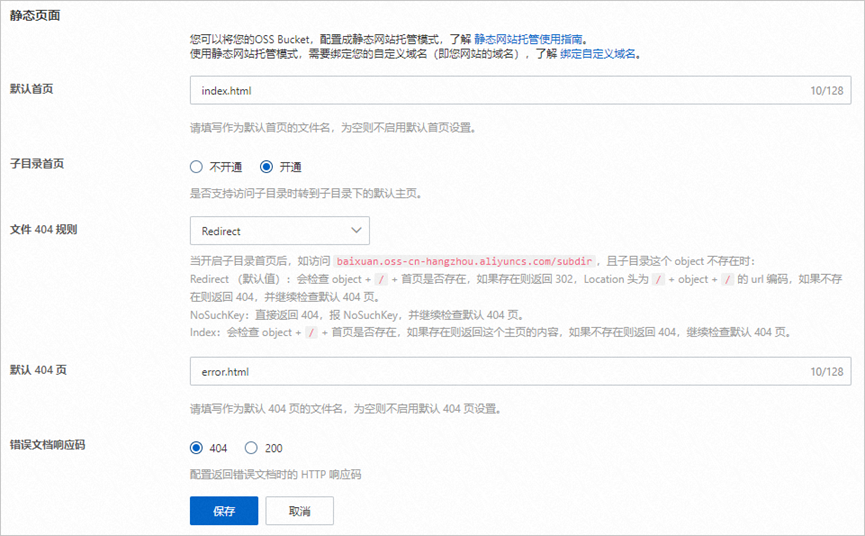
3. Configure Static Website Hosting
1. Go to “Basic Settings”.
2. Find “Static Website Hosting” and click “Configure”.
3. Configure settings:
3.1 Default Homepage: index.html
3.2 Default 404 Page: error.html
3.3 Subdirectory Index:
Without enabling: Root access returns default index.
With enabling: Subdirectories support index.html routing and redirect rules.
Redirect mode: returns 302 redirect if index exists.
NoSuchKey mode: returns 404 and checks error page.
Index mode: directly returns content if found.
4. Click Save.
4. Bind Your Domain
1. Obtain domain management access.
2. Go to Bucket domain settings.
3. Add your domain and configure CNAME record.
4. Wait for DNS propagation (minutes to hours).
5. Test Your Website
Open your custom domain in a browser to verify it works.
6. Disable Static Hosting (Optional)
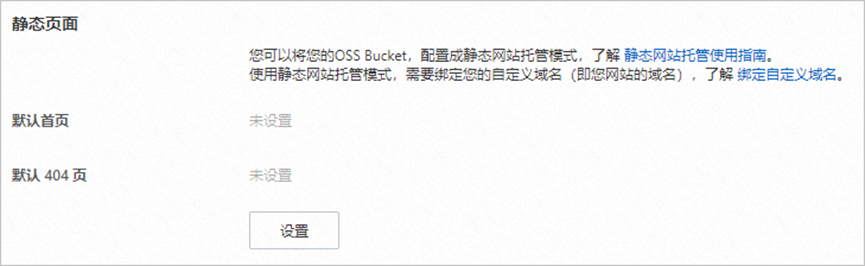
1. Go to Data Management > Static Pages.
2. Click Settings.
3. Clear homepage and 404 configuration.
4. Save changes.
At this point, your static website is successfully deployed on Alibaba Cloud OSS and can be accessed via Bucket URL or your custom domain.
Conclusion
Alibaba Cloud International OSS provides a simple, low-cost solution for building static websites. Whether you are an individual or a small business, it enables you to easily create an online presence. With CloudHub Global, you can enjoy account assistance, proxy payments, discounts, and professional technical support.
Start now and contact CloudHub Global for a lighter and more efficient cloud onboarding experience. Enjoy no-credit-card setup, recharge services, and expert support to get your project running smoothly.
Official website:
https://www.cloudhubglobal.com
Telegram: @yunshuguoji