justhost.asia is a hosting provider operated by an overseas team, with data centers distributed across multiple regions in Europe, America, and Asia. Its biggest advantage is affordable pricing, along with free IP change functionality available in the control panel. It also supports flexible switching across more than 30 global nodes, making it especially suitable for users who require multi-region network environments. This article focuses on testing the Hong Kong VPS offered by justhost.asia to evaluate its network performance and real-world user experience.
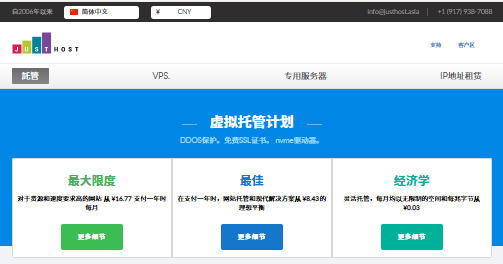
Official website: JustHost.ru Official Website
Plans and Pricing
The justhost.asia Hong Kong VPS offers bandwidth ranging from 200Mbps to 1000Mbps. The lowest plan starts at approximately $1.10/month (about 8 RMB/month). It supports major payment methods such as Alipay and PayPal, making purchasing very convenient.
| Item | Specification |
|---|---|
| CPU | Starting from 1 core |
| Memory | Starting from 512MB |
| Storage | SSD storage |
| Bandwidth | 200Mbps ~ 1000Mbps |
| IP | Free IP replacement available |
| Node Switching | Supports 30+ global nodes |
| Price | About $1.10/month (varies with exchange rate) |
| Payment Methods | Alipay, PayPal supported |
Network Latency and Stability Test
Local Ping Latency
Local testing shows an average latency of 383ms. Compared with direct Hong Kong routes, the latency is slightly higher, but overall stability is good with minimal packet loss.
Average Latency Across China’s Three Networks (ISP Test)
- China Telecom: 316ms
- China Unicom: 335ms
- China Mobile: 340ms
The overall average latency across the three major networks is around 326ms. While relatively high, performance remains stable.
Global Network Stability
International nodes perform very well with almost no packet loss. However, mainland China nodes show around 1%–5% packet loss. It is recommended that users in mainland China use a Hong Kong or US relay server to significantly improve access performance.
Three-Network Routing Analysis (Outbound Path)
- Telecom: Exits from Shanghai, routes through the United States before reaching Hong Kong via China Telecom backbone.
- Unicom: Exits from Guangzhou, passes through Los Angeles before reaching Hong Kong via AS4837.
- Mobile: Exits from Shanghai, routes through the UK and Singapore before reaching Hong Kong via CMI backbone.
Overall, all three networks show noticeable detours in routing, which is the main reason for higher latency.
Download Speed Test
Local download speed reaches about 2.2MB/s. When using an overseas relay server, speeds can be significantly higher, making it suitable for users who require decent download performance.
Purchase Guide
- Visit the official website via the justhost.asia promotional link.
- Select a discounted plan on the pricing page (around $1.10/month, subject to exchange rate fluctuations) and click “Select”.
- On the configuration page, choose the operating system and data center location. It is recommended to select the “China” region.
- Register an account and complete payment to activate the service.
Conclusion
Overall, justhost.asia’s Hong Kong VPS stands out for its extremely low price, flexible global node switching, and support for Alipay and PayPal payments. Although its latency is higher than directly connected Hong Kong VPS services, its stability and usability remain solid. It is still a highly cost-effective option for cross-border e-commerce, foreign trade operations, and lightweight online applications.
Frequently Asked Questions (Q&A)
Q1: Is justhost.asia Hong Kong VPS suitable for users in mainland China?
A1: Direct access from mainland China has relatively high latency. It is recommended to use a Hong Kong or US relay server for better performance.
Q2: Can the IP be changed?
A2: Yes, IPs can be freely changed in the control panel, and switching between 30+ global nodes is supported.
Q3: What payment methods are supported?
A3: Alipay and PayPal are supported, making it convenient for international users.
Q4: Is the lowest plan suitable for website hosting?
A4: The entry-level plan is suitable for lightweight websites and testing cross-border business scenarios. For higher traffic loads, upgrading to a higher-tier plan is recommended.