This article provides a complete DMIT VPS purchase guide for beginners. Whether you are using DMIT Hong Kong VPS, DMIT Japan VPS, or DMIT USA VPS, the steps are essentially the same. Screenshots are included for reference, along with a FAQ section to help you get started quickly.
1. Register a DMIT Account
Steps:
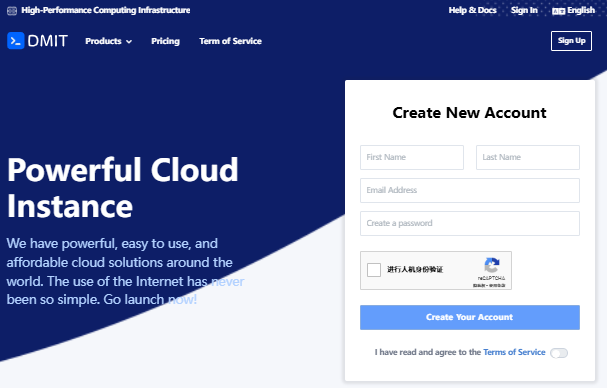
- Visit the DMIT official website.
- Click Sign Up on the homepage and fill in your first name, last name (use Pinyin), email, and password.
- Complete the captcha verification, agree to the terms, then click “Create Your Account”.
2. Verify Your Email
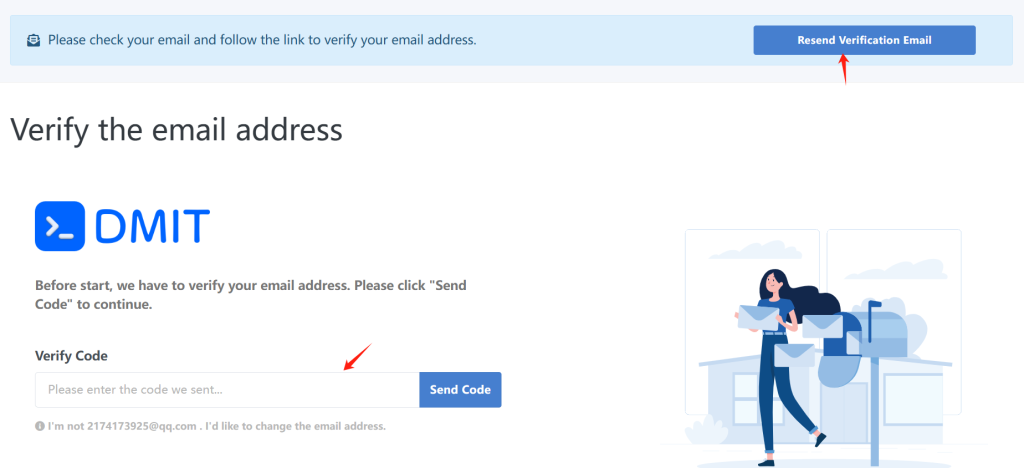
After registration, DMIT will send a verification email to your inbox.
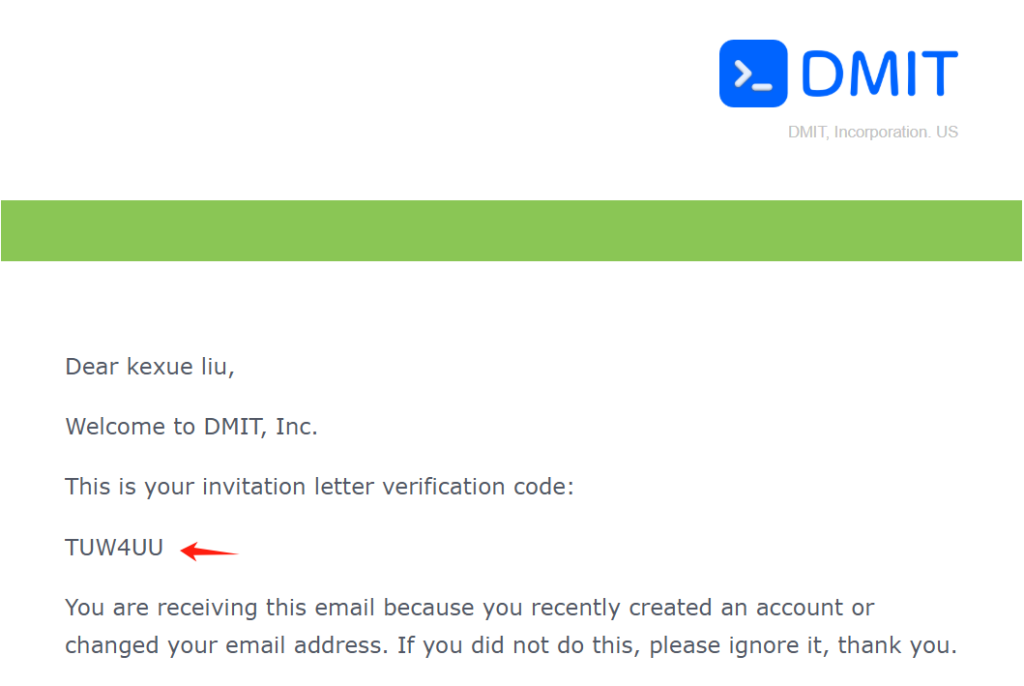
- Open your email and find the DMIT verification message.
- Enter the verification code on the DMIT website and click “Confirm” to complete verification.
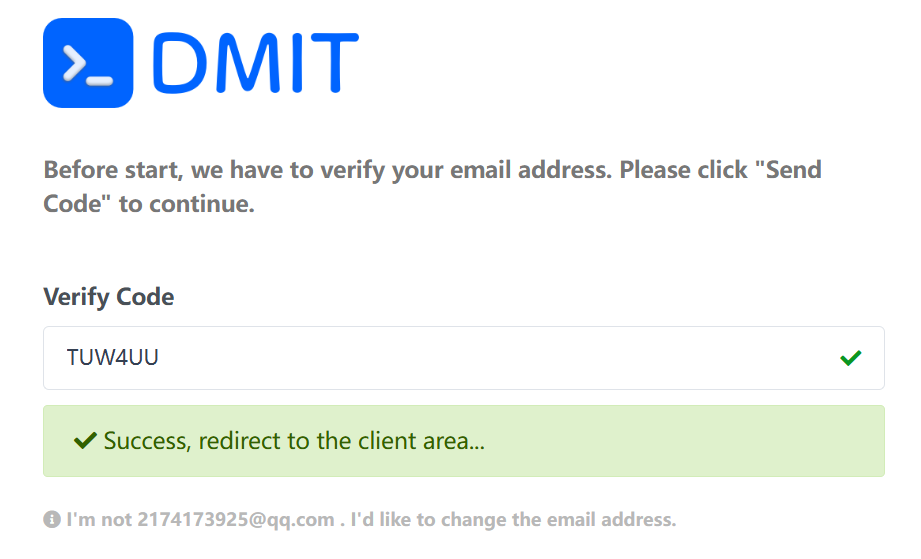
3. Access the DMIT Client Area
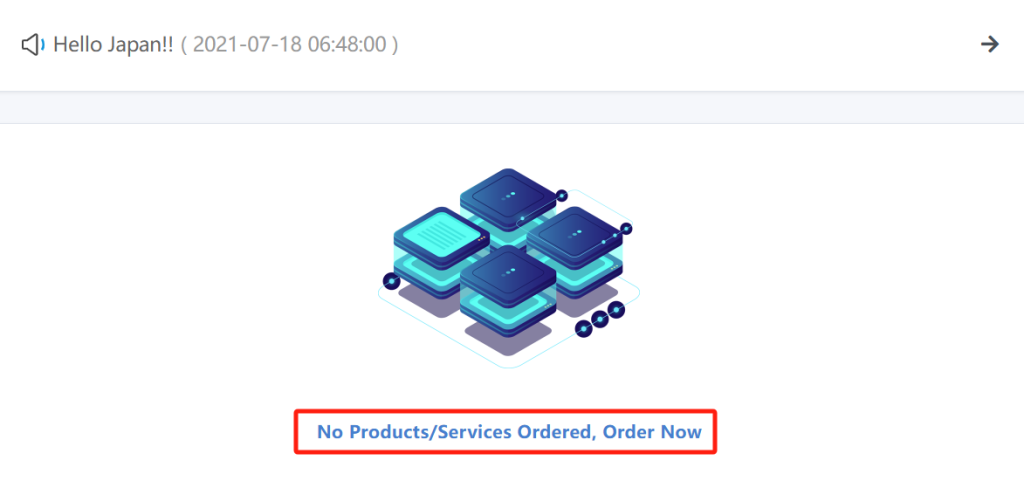
After successful verification, log in to the DMIT client area. If you haven’t purchased any service yet, you will see:
“No Products/Services Ordered, Order Now”
Click the link to enter the VPS product selection page.
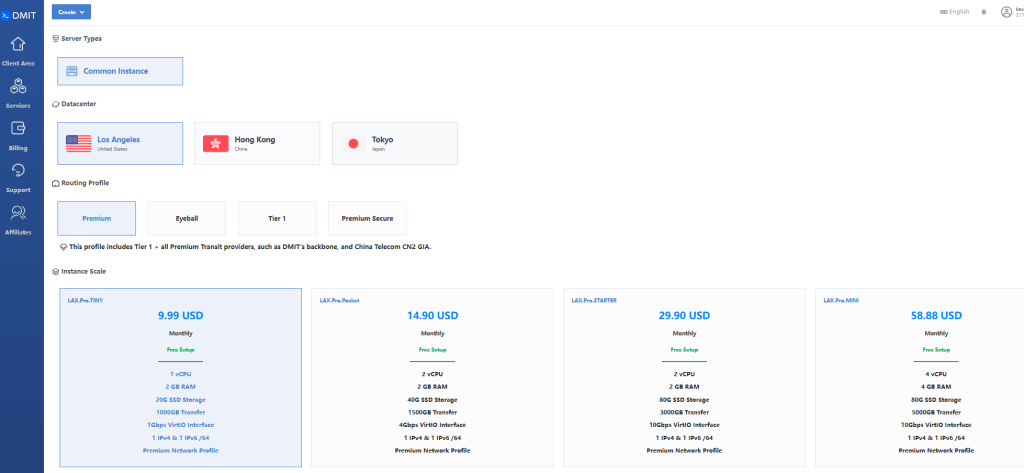
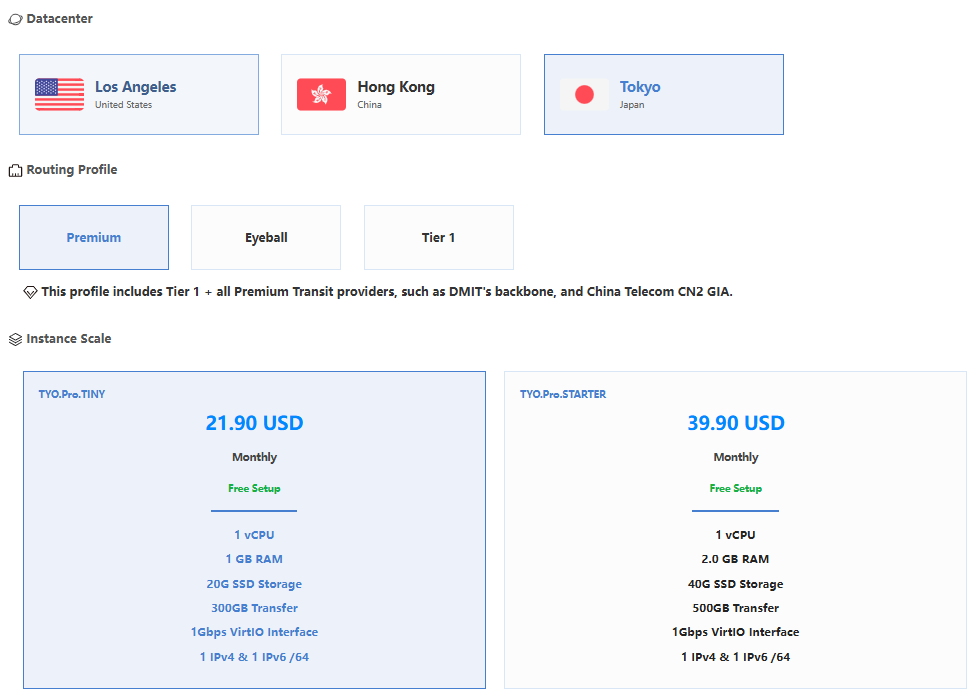
4. Choose a DMIT VPS Plan
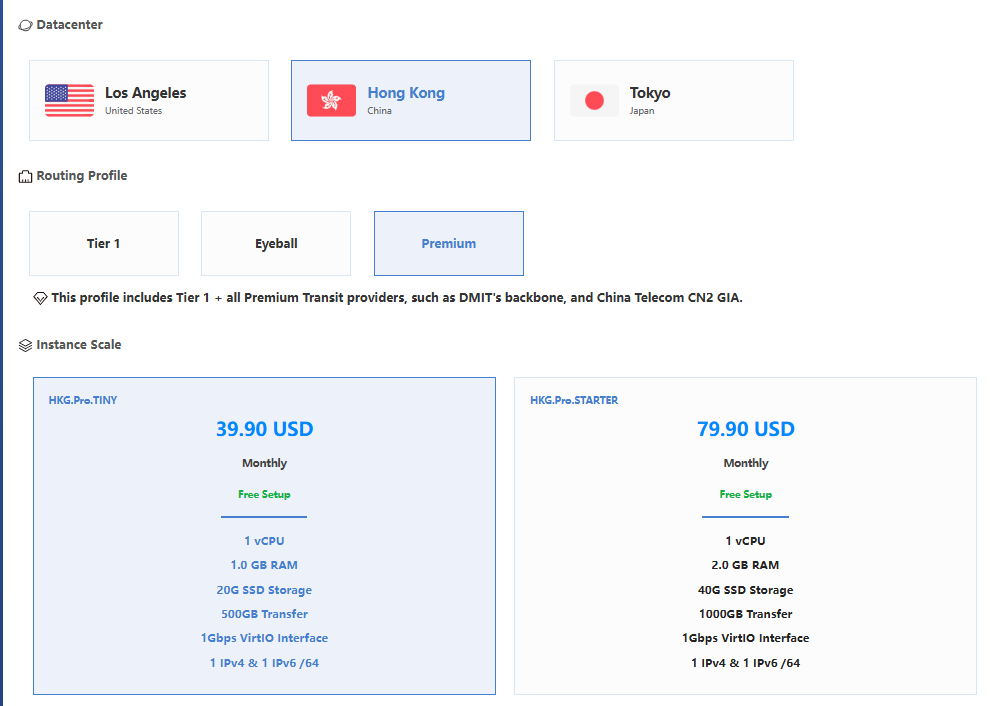
On the plan page, you can choose based on your needs:
- Premium: CN2 GIA optimized, ideal for users requiring high speed and stability in China.
- Eyeball: Suitable for residential broadband and general use cases.
- Tier 1: Designed for overseas applications.
- Premium Secure: High-end plan with advanced DDoS protection.
Beginners are recommended to start with Premium plans.
Related plans:
- DMIT Hong Kong VPS from $36.9/year, CN2 GIA, CMI, RETN optimized routes
- DMIT Los Angeles VPS from $36.9/year, CN2 GIA & CMIN2 optimized routing
- DMIT Japan VPS review: CMI, CN2 GIA & international routing options from $36.9/year
5. Select Billing Cycle & Configuration
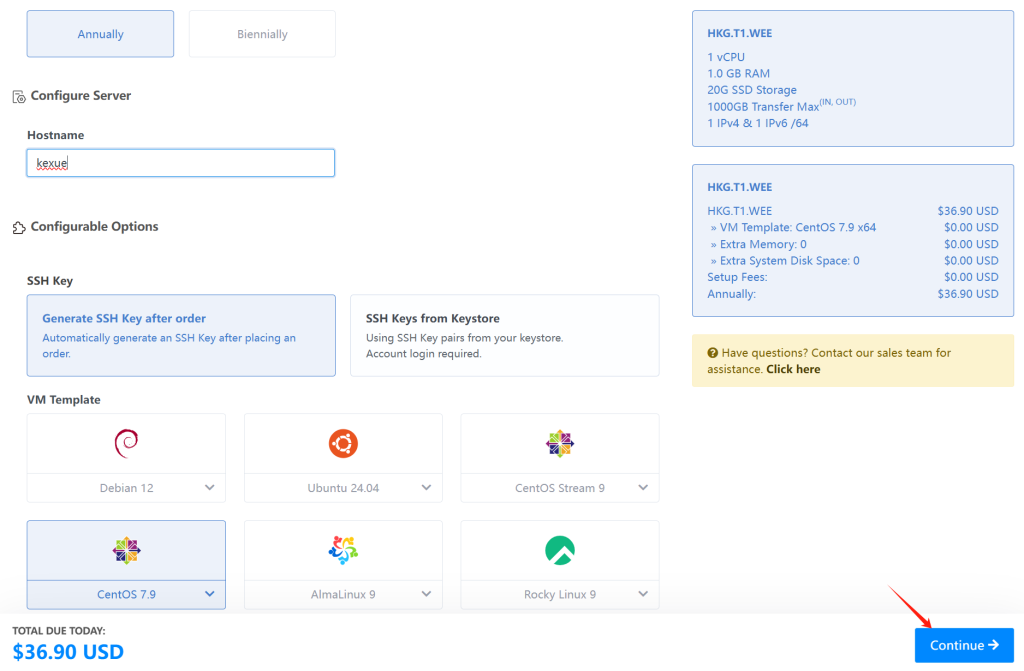
- Billing cycle: Monthly, quarterly, or annually. Longer cycles offer better value.
- Operating system: Choose according to your needs.
- Root password: Use a strong password.
- Additional options: Default settings are suitable for most users.
Click “Continue” to proceed to checkout.
6. Submit Order & Payment
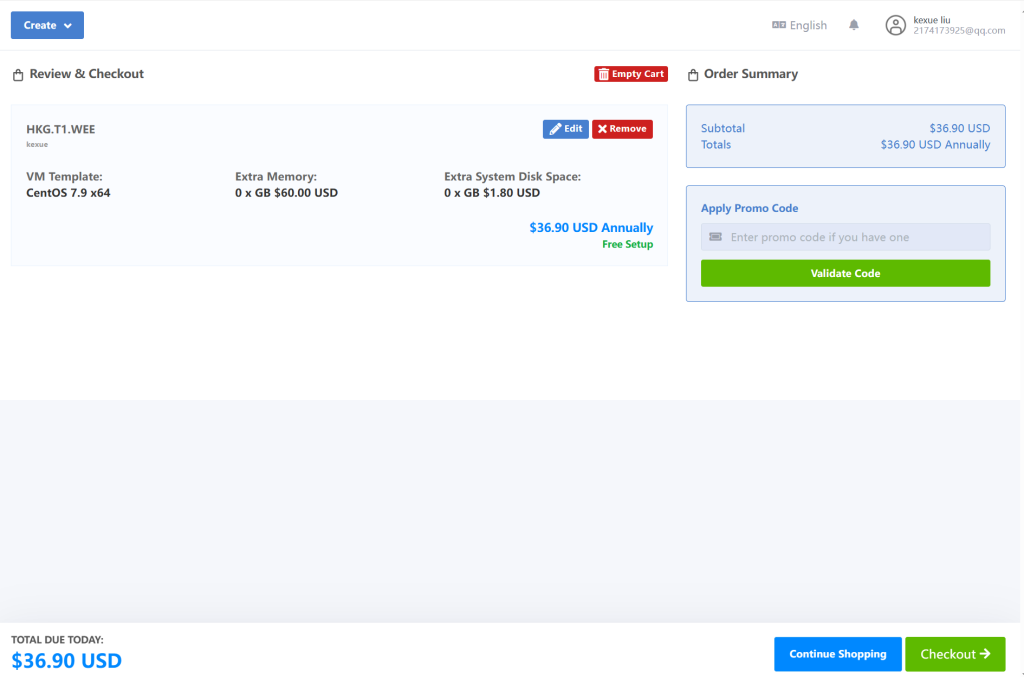
Review your order details carefully and click “Checkout”.
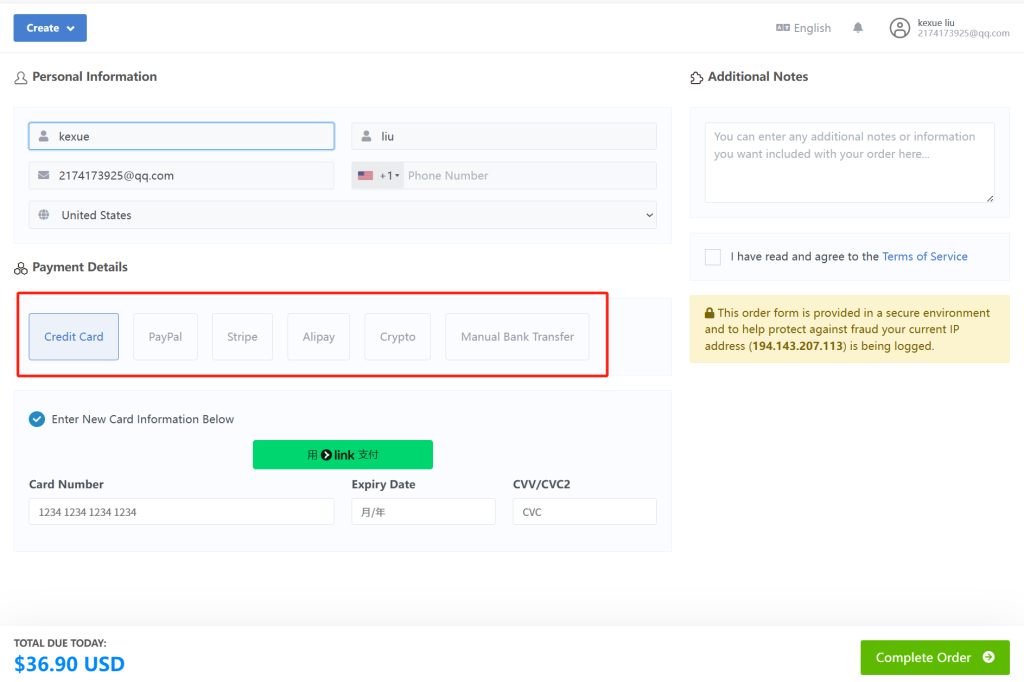
Payment methods:
- Alipay
- Credit Card
- PayPal
Agree to the terms and click “Complete Order” to finish payment.
7. VPS Activation & Access Details
After successful payment, DMIT will automatically deploy your VPS and send login details (IP address, username, and password) to your registered email.
DMIT VPS FAQ
Q1: Do I need additional configuration for DMIT VPS?
A: For most beginners, the default configuration is sufficient. No extra setup is required unless you have special needs.
Q2: How long does it take to activate the VPS after payment?
A: Usually within a few minutes to around 10–15 minutes, depending on payment and verification status.
Q3: What are the differences between DMIT plans?
A: Premium is optimized for China connectivity, Eyeball is suitable for residential broadband use, Premium Secure includes enhanced DDoS protection, and Tier 1 is best for North America and Southeast Asia scenarios.