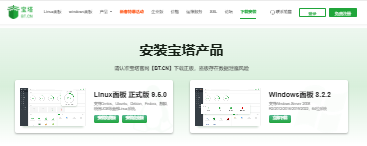
Many users build websites using the Baota (BT) panel. Here, VPS review site has compiled the official Baota Linux Panel v9.5.0 installation script and Windows Panel v8.2.2 download links from the official Baota website (free), making it easier and faster to install without navigating through overly complex official pages.
if [ -f /usr/bin/curl ];then curl -sSO https://download.bt.cn/install/install_panel.sh;else wget -O install_panel.sh https://download.bt.cn/install/install_panel.sh;fi;bash install_panel.sh ed8484becCentOS / OpenCloud / Alibaba Cloud
url=https://download.bt.cn/install/install_panel.sh;if [ -f /usr/bin/curl ];then curl -sSO $url;else wget -O install_panel.sh $url;fi;bash install_panel.sh ed8484becDebian
wget -O install_panel.sh https://download.bt.cn/install/install_panel.sh && bash install_panel.sh ed8484becUbuntu / Deepin
wget -O install_panel.sh https://download.bt.cn/install/install_panel.sh && sudo bash install_panel.sh ed8484becWindows Panel v8.2.2 Download Supports Windows Server 2008 R2 / 2012 / 2016 / 2019 / 2022 (64-bit systems). Download link: https://download.bt.cn/win/panel/BtSoft.zip If the above information does not solve your problem, you can also visit the official Baota Panel website. This article is sourced from their official page: Baota Panel Download – Free All-in-One Server Management Software