With the rapid growth of cloud computing, Oracle Cloud still offers a free VPS tier, making it ideal for testing environments and lightweight applications. This guide walks you through how to register an Oracle Cloud account, create a free VPS instance, and use it effectively.
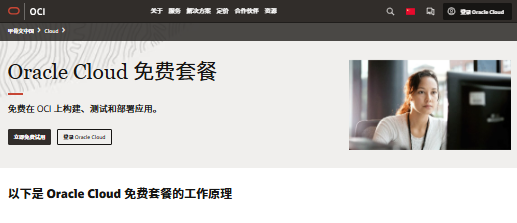
Oracle Cloud Free VPS Registration Steps
Registration URL: https://www.oracle.com/cn/cloud/free/
1. Create an Account
Visit the official website and click “Start for Free.” Fill in your country (China), name (in Pinyin), and email address. Then click “Verify my email” to complete email verification.
2. Set Up Account Information
Create a password and choose your data center region (this cannot be changed later). Some available Asia regions include:
- Singapore (objectstorage.ap-singapore-1.oraclecloud.com)
- Tokyo, Japan (objectstorage.ap-tokyo-1.oraclecloud.com)
- Seoul, South Korea (objectstorage.ap-seoul-1.oraclecloud.com)
- Mumbai, India (objectstorage.ap-mumbai-1.oraclecloud.com)
It’s recommended to test latency in advance to select the optimal region.
3. Enter Address Information
Fill in your address in Pinyin and ensure it matches your credit card billing address.
4. Verify Phone Number
Enter your phone number and complete verification using the code sent via SMS.
5. Credit Card Verification
Oracle requires a dual-currency credit card (VISA/MasterCard). A temporary charge of 1.38 SGD will be made for verification (usually refunded later). Some banks may call to confirm the transaction.
If Registration Fails, Check the Following:
- Whether you are using a proxy or VPN
- Whether your credit card, address, and phone information match
Creating an Oracle Free VPS
After successful registration, you will receive an email titled “Get Started Now with Oracle Cloud.” Click the Sign In link to access the console.
1. Go to Instance Management
After logging in, navigate to:
Compute → Instances → Create Instance
2. Configure the VPS Instance
- Name: Use the default or customize it
- Region: Fixed (based on your initial selection)
- Operating System: Click Edit and select your preferred OS (e.g., Ubuntu, CentOS)
- Instance Type: Make sure to select Always Free eligible to avoid charges
- SSH Key: Oracle does not allow password login by default—download the key pair and use the private key for authentication
- Storage: Default boot volume is 46.6GB; you can adjust it and enable encryption in transit
3. Launch the VPS
Click Create after configuration. If errors occur, adjust settings based on the prompts.
Oracle Free VPS Usage Guide
1. SSH Remote Connection
After creation, find the public IP address and connect using:
ssh -i your_private_key.pem opc@your_vps_ip
- opc is the default user (you can switch to root later)
- To enable password login, modify the SSH configuration file
2. Open Ports & Enable Ping
By default, Oracle blocks ICMP (Ping) and some ports. To open them:
- Go to Subnet settings
- Select Security Lists
- Add Ingress Rules
- Allow ICMP (Ping) and required TCP ports such as 22 (SSH), 80, 443
3. Management & Renewal
- Free VPS instances can be used long-term, but you must log in regularly to avoid reclamation
- You can upgrade configurations using the $400 trial credits
Frequently Asked Questions
Q1: What scenarios is Oracle free VPS suitable for?
A1: It is suitable for personal development, website testing, and lightweight applications such as small blogs or web crawlers.
Q2: Why does registration fail?
A2: Possible reasons include proxy/VPN issues, failed credit card verification, or mismatched address information. Try using a clean network environment and a valid billing address.
Q3: Does Oracle VPS support Windows?
A3: The free VPS tier only supports Linux systems. Windows Server requires paid instances.
Q4: How can I avoid account suspension?
A4: Follow Oracle Cloud’s terms of service, avoid high-risk or resource-intensive activities, and keep your account active by logging in regularly.
Conclusion
Oracle Cloud’s free VPS is an excellent choice for developers looking to run tests or lightweight projects. During registration, pay close attention to credit card verification and region selection. With proper configuration, you can achieve stable and long-term usage. Hopefully, this guide helps you successfully deploy your own free VPS!